February 2026: Closing the Loop and Making Engagement Actually Work
February was our biggest month so far, and we've shipped a lot! Here's what's new, and more importantly, why we built it.

Dan Ferguson
Founder
February was a big month for us. We shipped a lot! More importantly, we shipped things that solve real problems we've been hearing about from councils, consultants, and engagement teams across the country.
Here's what's new, and more importantly, why we built it.
Close the Loop
This is the big one.
We've heard it over and over: "We collect all this feedback, we make decisions based on it, but we never get the chance to tell people what happened." The result? We all know it too well. Communities feel unheard. Trust erodes. And the next time you run an engagement, participation drops.
Close the Loop fixes that. After your engagement wraps up, you can now:
Create a branded outcome report using templates that guide you through what you heard, what you're doing about it, and what was out of scope.
Draft with AI assistance. Give the AI some context and it generates professional report copy that you can refine.
Get it reviewed and approved before publishing. Built-in approval workflow so nothing goes out without sign-off.
Publish it as a public page branded with your logo and colours, sharable with anyone, no login required.
Send personalised follow-up emails and SMS to respondents who opted in, complete with your branding and a link to the full report.
We built this because engagement isn't a one-way street. When people take the time to share their thoughts, they deserve to know those thoughts were heard. Close the Loop makes that easy.
A Better Survey Experience for Your Community
We completely redesigned how respondents fill out surveys, because we know every extra second of friction costs you responses.
Card-style answer options. Large, tappable cards replace tiny radio buttons. Way better on mobile, way more accessible.
Auto-saving progress. If someone closes their browser mid-survey, their answers are saved. When they come back, they pick up right where they left off. No more lost responses.
"Prefer not to answer" on required questions. Respondents can skip sensitive questions without being blocked from completing the survey. Because forcing people to answer doesn't get you honest data.
Page-by-page navigation. Longer surveys are now broken into pages of 5 questions, so they feel manageable instead of overwhelming.
Gentle validation mode. A new option that nudges respondents to answer required questions with a friendly prompt rather than a hard block.
We made these changes because higher completion rates don't come from making surveys shorter, they come from removing the reasons people abandon them.
If you're interested in hearing more about these changes, I wrote about about these changes in more depth: We Sweat The Details.
Smarter Project Management
Managing an engagement project involves a lot of moving parts, and it's easy to lose track of what comes next. We've made some big improvements to help with that.
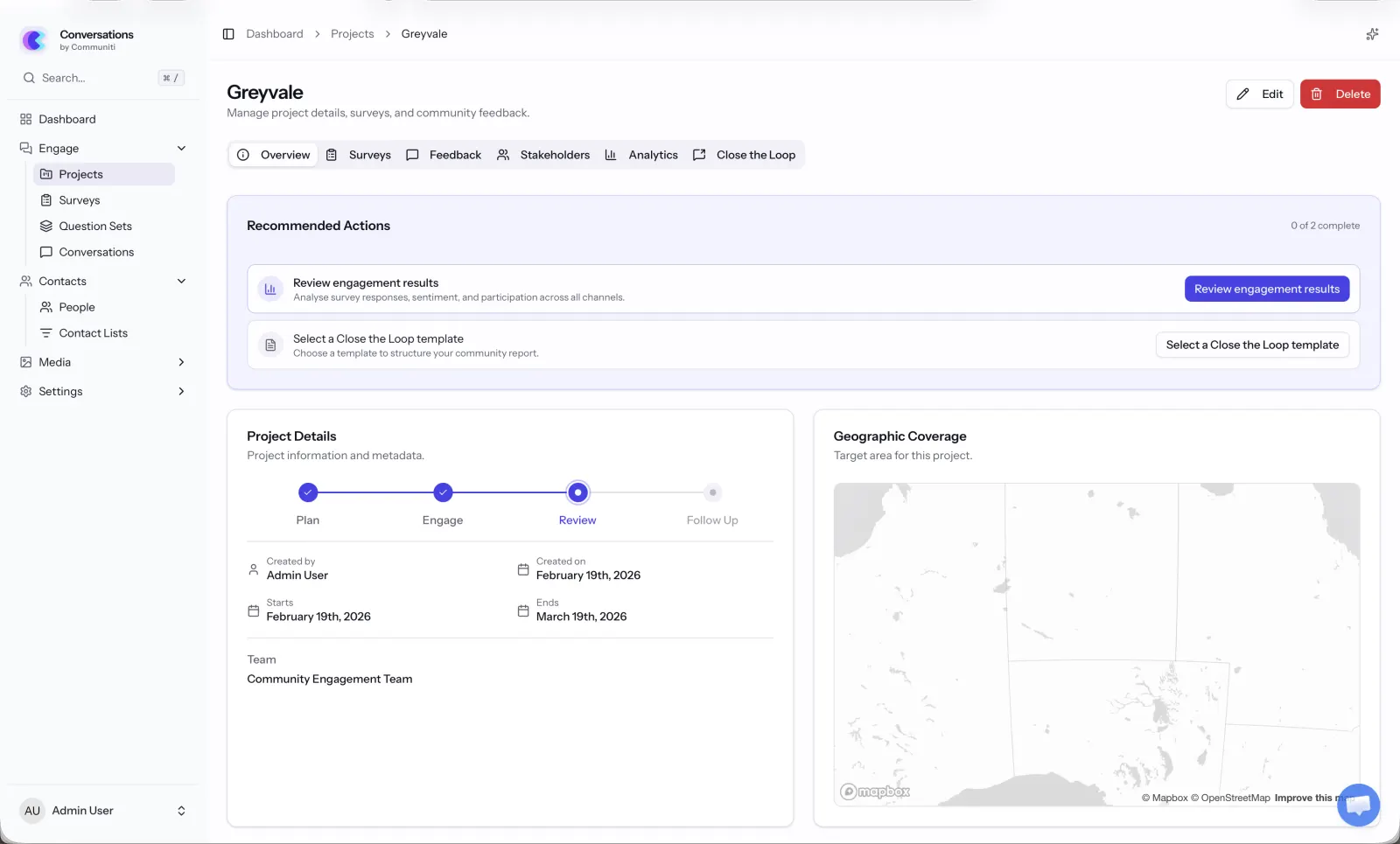
Recommended actions. Your project overview now shows exactly what to do next based on your current phase. "Add your geographic area." "Set engagement dates." "Create a survey." Each action is marked complete when it's done, so you always know where you stand
Adaptive tabs. The project page now only shows the tabs that are relevant to your current phase. During planning, you see a focused view. As you progress into engagement and review, analytics and follow-up tabs appear when they're useful. Less clutter, more clarity.
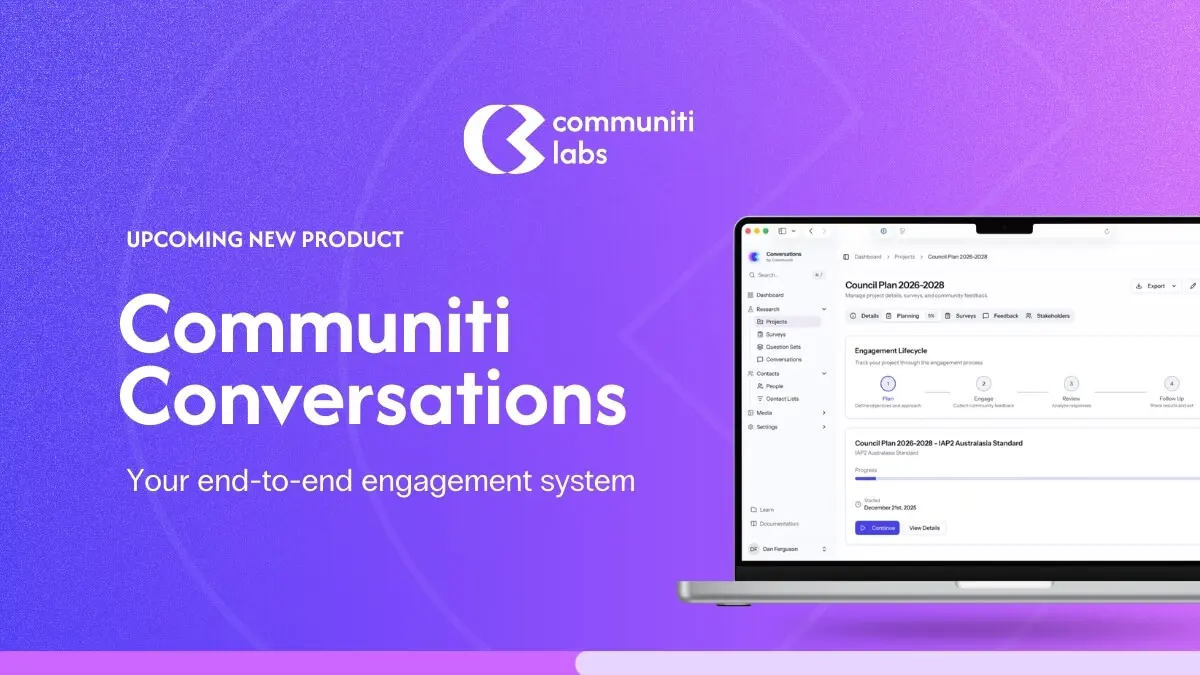
Visual progress stepper. A clear 4-stage progress indicator (Plan, Engage, Review, Follow Up) shows exactly where you are in the engagement lifecycle.
Quick project creation. Creating a new project is now a simple dialog. Name it, assign a team, done. Full details can be added later.
Search and filter. Find projects quickly by name, filter by engagement phase, and see at-a-glance timeline status badges like "Upcoming", "Active", "Ends in 3 days", or "Overdue".
The best engagement software shouldn't require a manual. It should guide you.
Upload Your Engagement Plan
This one's for everyone who's already got an engagement plan sitting in a Word doc or PDF.
You can now drag and drop your existing engagement plan into the platform. Our AI reads through it, extracts the key details, and can even generate survey questions from your plan. You review what it extracted, pick the questions you want, and you're off.
We built this because nobody wants to re-type what they've already written. Your plan is your starting point - we just make it actionable.
Analytics & Demographics
Once your engagement is running, you need to know what's happening. We've added:
Analytics dashboard. Total responses, completion rates, response timelines, channel breakdowns, sentiment analysis, and a visitor funnel showing where people drop off
Interactive demographic charts. Click any segment on a demographic chart (like "Age 25-34") and instantly see how that group's responses differ from the whole. All other charts update in real-time
Geographic heat map. A colour-coded map showing response density by region. Switch between metrics, hover for details, click regions to compare side-by-side
Question-level analysis. Each question gets its own breakdown with charts, sentiment analysis, or ranking summaries depending on the question type
We built these because data is only useful if you can explore it. Static reports don't answer the question you didn't know you had.
Smarter Survey Building
Similar question detection. When you're building a survey, the platform now warns you if you've asked a very similar question in another survey. Helps you avoid survey fatigue and duplicated effort.
One-click neutrality fixes. When the AI flags biased question wording, you can apply the suggested neutral alternative with a single click.
Severity indicators in the flow chart. Question nodes now show colour-coded outlines based on issue severity, making it easier to spot problems at a glance.
AI Assistant Improvements
The AI assistant now opens in a dedicated side panel instead of a floating overlay, giving you more room to work while chatting with it.
New AI tools for editing your engagement plan; the assistant can help you refine plan content directly.
Other Improvements
Larger help text on survey pages for better readability.
Visual checkmarks next to answered required questions so respondents can track progress.
Research-backed warning in the survey builder when using slider-type questions (which can introduce bias).
Engagement plan template previews with section counts and estimated completion time.
Chat widget hidden on public survey pages to avoid distracting respondents.
Bug Fixes
Fixed an issue where updating a project from a quick modal could accidentally clear the project description.
Recommended actions now navigate to the correct tab and properly mark results as reviewed.
Follow-up actions redirect to the correct project tab.
Fixed answer clearing when toggling between response options.
Coming Soon
We're working on two new channels:
Mailout. Collect feedback through printed mail
Walkshops. Capture insights from walking workshops and on-site engagement activities
That's it for February. As always, if you have questions, feedback, or want a walkthrough of anything new, just reach out. We love hearing from you!